A website rarely breaks in one dramatic moment. More often, it slowly drifts out of shape: a plugin falls behind, images get heavier, redirects pile up, analytics stop tracking the right events, a few old articles lose accuracy, and a form that used to work quietly stops sending messages. The purpose of a website maintenance checklist is to catch those small failures before they become traffic losses, security incidents, conversion problems, or expensive emergency repairs.
This guide is written for webmasters, site owners, editors, technical marketers, and anyone responsible for keeping a website useful over the long term. It focuses on practical routines rather than abstract theory. You will find daily, weekly, monthly, quarterly, and annual tasks, along with the reasoning behind each one. The checklist applies to WordPress, custom CMS projects, content sites, lead generation websites, small ecommerce stores, portfolios, and growing publications.
Maintenance is not just about fixing bugs. It is a discipline that connects security, speed, search visibility, accessibility, content quality, data accuracy, and user trust. When those pieces are handled together, the site becomes easier to manage and more predictable. When they are handled separately, one team may improve speed while another accidentally creates indexing problems, or an editor may publish useful content on top of a fragile technical base.
If you are building a broader webmaster workflow, keep this checklist alongside our technical SEO guide for webmasters and our Core Web Vitals performance guide. Together, they form a practical operating system for running a healthy site: maintain the platform, make the site crawlable, and keep the experience fast for real users.
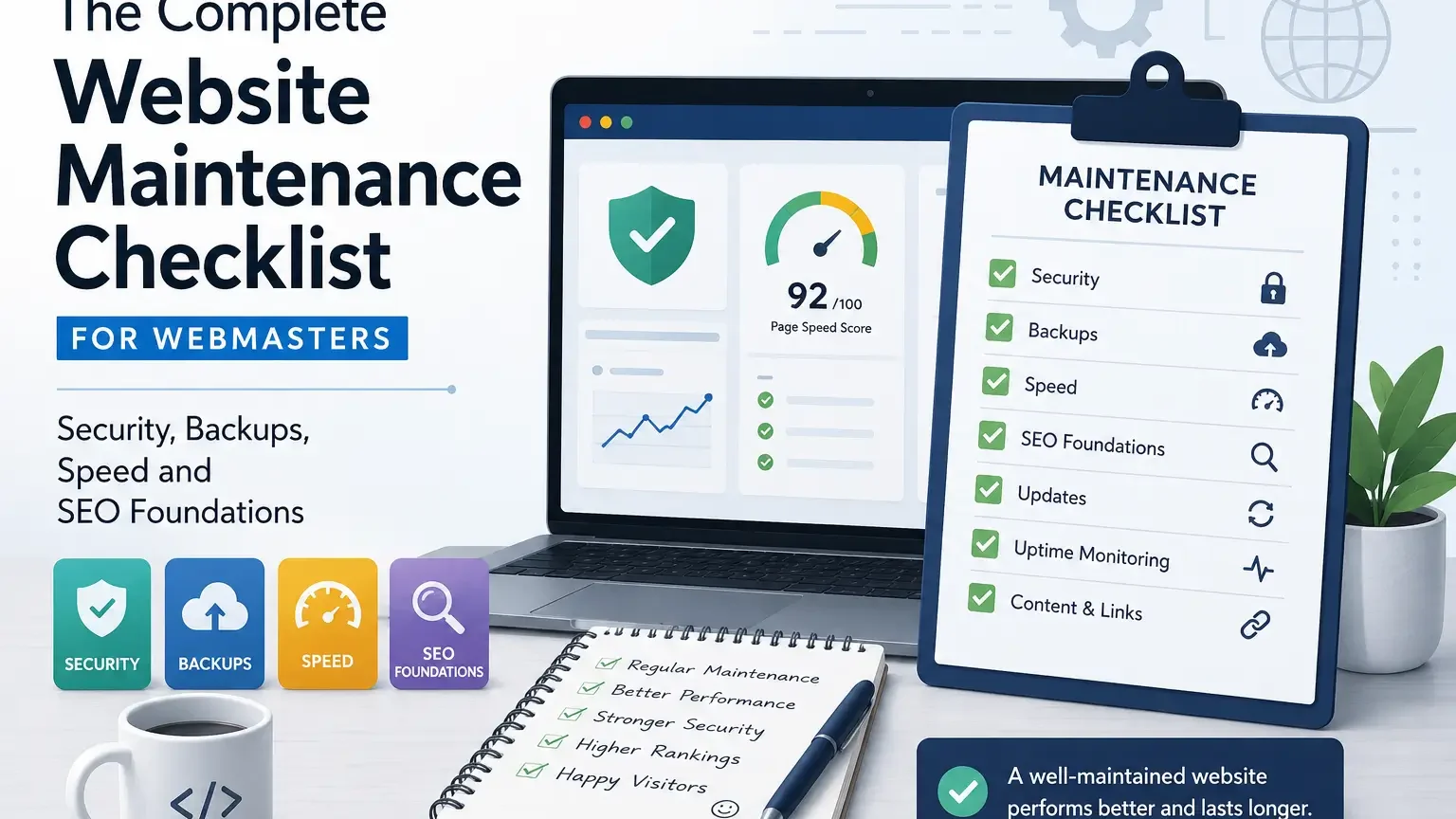
| Maintenance area | Why it matters | Best review rhythm |
|---|---|---|
| Backups and restore tests | A backup is only useful when it can be restored quickly and cleanly. | Weekly backup check, quarterly restore test |
| Security updates | Old software is one of the easiest ways for attackers to find weak points. | Weekly or immediately for critical releases |
| Performance review | Slow pages reduce engagement and make every marketing channel less efficient. | Monthly for key templates, quarterly for full audit |
| SEO hygiene | Broken links, redirect chains and stale metadata quietly reduce discoverability. | Monthly for core pages, quarterly for deep content |
| Content accuracy | Evergreen pages still need refreshed examples, screenshots and recommendations. | Quarterly or whenever the topic changes |
| Monitoring and analytics | You cannot fix what you do not notice or measure. | Daily dashboard glance, monthly reporting review |
Start With a Maintenance Mindset, Not a Random To-Do List
A strong maintenance routine begins with ownership. Someone should know which parts of the site are critical, which tools are installed, who can approve changes, where backups live, and what “normal” traffic looks like. Without ownership, maintenance becomes a collection of occasional cleanups performed only after something goes wrong. With ownership, even a small site can operate with the calm habits of a larger publishing team.
The best checklist is not the longest checklist. It is the one that protects the highest-risk areas first. A brochure site with ten pages does not need the same routine as a news site publishing twenty articles a day. A WooCommerce store has checkout, payment, tax, inventory, transactional email and customer account concerns that a simple blog does not have. Good maintenance adapts to the business model instead of copying a generic list.
Treat the website as a living product. New content, new code, new devices, browser updates, search changes and user expectations all affect how the site performs. Even if you do nothing, the environment around the website changes. That is why “we have not touched anything” is not proof that nothing can break. Hosting platforms update, third-party scripts change, APIs expire, certificates renew, and competitors improve.
A practical routine should also separate observation from action. First you monitor, then you diagnose, then you change. Many site owners skip straight to changes and create more uncertainty. If traffic drops, they install a plugin. If speed scores fall, they remove scripts without checking which template is affected. Maintenance works better when every change has a reason, a backup, a rollback plan and a way to measure whether it helped.
Create an Inventory Before You Touch Anything
Before improving a website, document what already exists. Build a simple inventory of domains, subdomains, hosting accounts, DNS providers, CMS versions, themes, plugins, custom code, analytics tools, search tools, forms, email providers, payment systems, CDN settings and user roles. This sounds administrative, but it saves hours when a problem appears at the worst possible time.
An inventory prevents invisible dependencies from surprising you. A newsletter signup may rely on a script added years ago by a former contractor. A landing page may use a custom template that bypasses the main theme. A legacy redirect may still send profitable traffic to a newer URL. If you delete or update pieces without knowing these connections, you can fix one issue and create three new ones.
Include renewal dates in the inventory. Domains, SSL certificates, premium plugins, CDN plans, email services and backup tools often fail because a billing card expired or an account owner left the company. Renewal tracking is boring until the day a domain goes offline. A simple spreadsheet or project management board is enough as long as it is updated after every meaningful change.
The inventory should be readable by someone who did not build the site. In an emergency, clarity matters more than cleverness. Use plain names, direct links, owner names, notes about unusual configurations and a short explanation of what each tool does. This is the foundation for every later maintenance task, because you cannot reliably maintain assets you cannot identify.
Backups: Build a Recovery System, Not a Folder of Files
A backup plan is not complete because a plugin says “backup successful.” A real recovery system includes backup frequency, storage location, retention period, encryption, access control, restore testing and a documented process. The question is not only “Do we have backups?” It is “Can we restore the right version quickly without losing orders, leads, comments or recent content?”
Different parts of a site may need different backup rhythms. A static company page can often survive a daily backup. A busy store, membership site or publication may need more frequent database backups because new records arrive constantly. Media files usually change less often than database entries. Thinking in layers helps you avoid both under-protection and wasteful storage.
Store backups away from the live server. If the same account is compromised, a local backup can be deleted along with the site. Off-site storage, cloud storage, hosting-level snapshots and independent backup services create resilience. For critical sites, keep more than one backup method so a failed plugin, corrupted archive or suspended hosting account does not become a total loss.
Restore tests are the part most people skip. Schedule a quarterly test on a staging environment and write down the result. Did the database restore? Did media paths work? Did forms send? Did logins function? Did the site require a search-and-replace step for URLs? Each test turns theoretical safety into practical knowledge.
- Keep at least one recent database backup and one recent full-site backup.
- Use off-site storage rather than relying only on files stored inside the hosting account.
- Test restoration on staging before you need it in a crisis.
- Protect backup archives with strong credentials and limited access.
- Document who can restore the site and which steps they should follow.
Updates: Use a Safe Workflow Instead of Clicking Everything at Once
Updates protect the site, improve compatibility and often close security gaps, but careless updating can break templates, checkout flows, forms or integrations. The solution is not to avoid updates. The solution is to apply them with a repeatable process. Start with a backup, review what is changing, update in staging when possible, test the important paths, then apply changes to production.
Group updates by risk. A minor plugin update from a stable vendor may be low risk. A major CMS release, theme framework update, PHP version change or page builder upgrade deserves more testing. Security releases should move faster, but even then you should know how to roll back. The goal is to stay current without treating the live site as a testing playground.
After updating, test from the user’s point of view. Open the homepage, a category page, a post, a contact form, a search result, a login page and any revenue path. For ecommerce, place a test order if your setup allows it. For lead generation, submit a form and confirm delivery. For publications, check article formatting and ad placements. A green update screen does not prove the visitor experience is intact.
Keep a change log. Record what was updated, when it happened, who did it and whether anything unusual occurred. When a problem appears days later, the change log gives you a timeline. Without it, debugging becomes guesswork, and teams waste time debating whether something was changed at all.
Security Maintenance: Reduce the Ways an Attacker Can Win
Security is not a single plugin or a badge in the footer. It is a set of habits that reduce exposure. Keep software updated, remove unused themes and plugins, limit administrator accounts, use strong authentication, monitor suspicious activity, protect forms from abuse, enforce HTTPS and review file permissions. None of these tasks is dramatic, but together they make the site harder to exploit.
The principle of least privilege is one of the most useful webmaster habits. Not every writer needs administrator access. Not every contractor needs permanent login rights. Not every integration needs broad permissions. Give people the access required for their work and remove it when the work ends. Many security problems begin with accounts that were forgotten, shared or overpowered.
Passwords deserve a real policy. Require unique passwords, encourage password managers, enable two-factor authentication where possible and avoid shared administrator logins. If a team member leaves, rotate credentials for hosting, CMS, analytics, CDN, email services and any external tools that were accessible. Account hygiene is a maintenance task, not only a human resources task.
Watch for unusual signals: new admin users, unexpected file changes, unfamiliar redirects, sudden outbound links, strange server load, spam pages, suspicious login attempts or search results showing pages you did not publish. A compromised site is often noticed by search engines, users or browsers before the owner notices. Regular checks help you catch problems earlier.
Uptime and Error Monitoring: Know When the Site Fails
A site can be technically online and still broken for users. The server may respond, but the checkout can fail. The homepage may load, but the contact form may silently lose submissions. Basic uptime monitoring is useful, yet it should be paired with checks for critical flows. Webmasters should know whether the most valuable pages and actions are working, not just whether the domain returns a status code.
Set up alerts that reach the right person. An uptime email buried in a general inbox does not help during an outage. For important sites, use multiple channels such as email, SMS, Slack or a monitoring dashboard. Define what counts as urgent. A five-minute interruption on a low-traffic blog is different from a checkout outage during a campaign.
Review server errors and application logs regularly. Repeated 500 errors, PHP warnings, database connection problems, failed scheduled tasks and memory limit issues usually leave clues before they become visible failures. Logs can look intimidating, but you do not need to read every line. Look for patterns, repeated URLs, recent changes and errors connected to important templates.
When an outage happens, write a short incident note after the fix. Include the cause, the affected pages, the duration, the corrective action and the prevention step. This turns every failure into a maintenance improvement. Over time, the site becomes more stable because the same problem is less likely to repeat.
Performance Maintenance: Keep the Site Fast After Launch
Performance is not a one-time launch task. A site that was fast in January can become slow by June because new scripts, larger images, heavier fonts, extra plugins and untested embeds accumulate. Maintenance keeps the site from gaining weight. The fastest websites are often not the ones with the most extreme tricks; they are the ones that avoid unnecessary complexity in the first place.
Choose a few representative pages for regular testing: homepage, article, category, landing page, product page and any template that earns traffic. Measure both lab and field data when possible. Lab tools help you debug under controlled conditions. Field data shows what real users experience across devices and networks. The best decisions consider both.
Look for common causes first. Oversized hero images, render-blocking CSS, unoptimized fonts, third-party scripts, poor caching, slow server response, excessive DOM size and unused JavaScript explain many slow pages. You do not need to chase every score to perfection. Prioritize fixes that improve real loading, responsiveness and stability for important users.
Tie performance work to publishing rules. Editors should know ideal image dimensions, file size targets, naming conventions and when to use videos or embeds. Developers should know budget limits for scripts and styles. Marketers should understand the cost of tags and trackers. Performance maintenance becomes easier when every team avoids adding unnecessary weight.
SEO Hygiene: Prevent Small Technical Problems From Spreading
SEO maintenance is not only keyword research or new articles. It includes all the small technical signals that help search engines discover, understand and trust the site. Broken internal links, redirect chains, accidental noindex tags, duplicate titles, missing canonical tags, thin archive pages and outdated sitemaps can quietly weaken visibility. A monthly SEO hygiene check keeps those issues contained.
Start with indexable pages. Review whether important pages can be crawled, are not blocked by robots.txt, do not carry accidental noindex directives and return a clean 200 status. Then check whether low-value pages are being indexed unnecessarily. A healthy site gives search engines clear access to useful pages while keeping clutter under control.
Internal links need maintenance because content libraries grow. Old articles may point to outdated URLs, discontinued products or weaker resources. New cornerstone guides may not receive enough links from older pages. Build a routine for refreshing internal links whenever you update a major article. This improves navigation for readers and helps search engines understand relationships between pages.
Metadata also drifts. Titles and descriptions written years ago may be too vague, duplicated or misaligned with the current search intent. Refreshing metadata is not about stuffing keywords. It is about making each page’s promise clear. The title should explain why the page exists, and the description should encourage the right user to click.
Content Maintenance: Keep Evergreen Pages Truly Evergreen
Evergreen content is not content you publish once and ignore. It is content that remains useful because someone maintains it. Examples change, screenshots age, tool interfaces move, best practices evolve and old recommendations can become misleading. A strong content maintenance system protects the value of pages that already earned trust.
Create a review calendar for important pages. Give higher priority to pages that receive traffic, earn links, support conversions or cover topics that change often. During a review, check facts, dates, screenshots, links, product names, process steps, examples, FAQs and search intent. You may not need to rewrite the page; sometimes a careful refresh is enough.
Look for signs that content needs attention. Declining impressions, lower click-through rate, falling average position, increased bounce, fewer conversions, outdated comments or user questions can all signal that the page no longer satisfies readers as well as it once did. Analytics should not dictate every edit, but it can point you toward pages worth inspecting.
When updating a page, improve usefulness rather than simply adding length. Add clearer explanations, remove outdated claims, strengthen examples, improve headings, add original experience and link to related resources. A bloated article can be less helpful than a concise one. The goal is to make the page easier to trust and easier to use.
Accessibility Maintenance: Make Sure Real People Can Use the Site
Accessibility belongs in maintenance because websites change constantly. A theme may launch with good contrast, but a later banner may use pale text. Images may begin with thoughtful alt text, but new uploads may skip it. Forms may be usable at first, then a new plugin may break labels or focus states. Regular checks help preserve usability for more people.
Start with the basics: color contrast, keyboard navigation, visible focus styles, descriptive links, form labels, alt text for meaningful images, heading order and readable font sizes. These improvements help users with disabilities, but they also help mobile visitors, older users, people in bright environments and anyone scanning quickly.
Accessibility checks should be part of publishing. Editors can write meaningful link text instead of “click here,” add helpful alt text, avoid using images of text and structure content with headings that make sense. Developers can ensure menus, modals and interactive components work with keyboards and screen readers. Maintenance is easier when accessibility is built into daily habits.
Automated tools are useful, but they cannot judge everything. They may detect missing labels or contrast issues, yet they cannot fully determine whether a page is understandable. Add a manual review: navigate without a mouse, zoom the page, test forms, read headings in order and ask whether the content still makes sense when visuals are removed.
Analytics and Tracking: Verify the Data Before You Trust It
Analytics problems are easy to miss because dashboards still show numbers even when tracking is incomplete. A tag may fire twice, conversions may stop recording, referral sources may be misclassified, cookie consent may block events unexpectedly, or a new form may not be tracked. Maintenance should include tracking verification so decisions are based on reliable data.
Create a measurement map. List the actions that matter: form submissions, newsletter signups, purchases, account registrations, downloads, outbound clicks, video plays or ad interactions. For each action, note where it happens and which tool records it. This prevents teams from assuming that every important action is automatically measured.
After site changes, test analytics in real time. Submit a test lead, complete a test checkout if possible, click key buttons and confirm that events appear with the right names. If you use tag management, keep containers organized and remove unused tags. Too many tags can slow the site and make troubleshooting more difficult.
Monthly reporting should include a data quality check, not only traffic numbers. Look for impossible spikes, sudden drops to zero, duplicate events, self-referrals, broken UTM conventions and changes caused by tracking updates. Clean data is part of website health because it guides every future decision.
Forms, Email and Conversion Paths: Test the Quiet Revenue Leaks
Forms and email systems fail silently more often than people expect. A contact form can appear to work while messages land in spam, an SMTP password can expire, a required field can break mobile submissions, or a CRM integration can reject entries after a field changes. These failures are painful because users may never tell you they tried and failed.
Build a recurring test for every important conversion path. Submit contact forms, request quotes, sign up for newsletters, reset passwords, test account creation and verify confirmation emails. On ecommerce sites, test cart, checkout, payment, order confirmation and transactional email. Do this after updates and at a normal rhythm even when nothing seems wrong.
Check the user experience around errors. A good form explains what went wrong and preserves the user’s input. A bad form clears everything and leaves the visitor guessing. Maintenance should include validation messages, loading states, spam protection, accessibility and mobile behavior. Conversion reliability is both technical and human.
Keep ownership clear for messages. If a form sends leads to one person’s inbox, what happens when that person is on holiday? If a newsletter signup connects to an old list, who notices? A conversion path should have a business process behind it. Otherwise the website may collect interest that no one follows up on.
Media Library Maintenance: Control Images, Downloads and Embeds
Media libraries grow quickly. Large uploads, duplicate images, forgotten PDFs, old logos, unused screenshots and embedded videos can make a site harder to manage. Media maintenance improves speed, storage, accessibility and brand consistency. It also reduces the chance that visitors find outdated documents through search results or internal links.
Set upload standards. Define preferred image formats, maximum dimensions, compression targets and naming conventions. For screenshots, include dates only when helpful. For product images, keep a consistent aspect ratio. For PDFs, add clear titles and replace old versions carefully. Standards reduce cleanup work later because every contributor knows what “ready to upload” means.
Review old media assets before deleting them. An image may not appear in the current editor but still be used in a custom template, CSS background, email campaign or archived post. Use a careful process, especially on older sites. When replacing a document, consider whether the old URL receives traffic or links and whether a redirect is needed.
Embeds deserve special attention. Videos, maps, social posts and third-party widgets can slow pages or break when providers change their code. If an embed supports a lightweight preview, use it. If a page relies on several embeds, test it on mobile and slower connections. Convenience should not quietly damage the experience.
Database and Hosting Maintenance: Keep the Foundation Clean
Hosting quality shapes every maintenance effort. A well-built site can still feel slow on an overloaded server, and a powerful server can be wasted by poor configuration. Webmasters should periodically review PHP versions, database performance, storage usage, error logs, caching layers, CDN settings and server resources. These technical foundations influence security, speed and reliability.
Database cleanup should be careful, not aggressive. Revisions, transients, spam comments, abandoned sessions, logs and plugin leftovers can accumulate, especially on WordPress sites. Cleaning can help, but automatic deletion without backups is risky. Always know what a cleanup tool removes, and test on staging for important sites.
Watch disk usage and inode limits. A site can fail because storage is full even if traffic is normal. Backups stored locally, cache files, logs and image variants may consume space quickly. If the hosting account sends resource warnings, investigate rather than ignoring them. Resource pressure often becomes visible as slow admin screens, failed uploads or intermittent errors.
Review hosting fit annually. A site that started as a small blog may become a busy publication. A store may outgrow shared hosting. A global audience may need a CDN or edge caching. Maintenance includes knowing when the infrastructure no longer matches the site’s role.
Legal, Privacy and Trust Signals: Keep Public Promises Accurate
Webmasters often focus on technical tasks and forget the public trust layer. Privacy policies, cookie notices, terms pages, contact details, business information, author pages, editorial policies and refund pages can become outdated. Visitors notice inconsistencies, and regulators or partners may care even more. Trust pages should be reviewed like any other important content.
If your site collects personal data, forms, analytics, newsletter signups or purchases, make sure your disclosures match reality. A privacy page copied years ago may not mention current tools. A cookie banner may reference vendors no longer installed. An unsubscribe process may work differently than described. Maintenance should align what the site says with what the site actually does.
Author and business information matter for credibility. If staff change, update bios. If addresses, support hours or phone numbers change, update them everywhere: header, footer, contact page, schema, email templates and third-party profiles. Trust breaks when a visitor sees conflicting information in different places.
Review testimonials, badges and claims. Awards, partner logos, security seals and performance claims should be current and honest. Evergreen content should not rely on old authority signals that no longer apply. A trustworthy site is not only polished; it is accurate about itself.
Build a Maintenance Calendar That People Can Actually Follow
A maintenance calendar should be realistic. If it demands daily deep audits, it will be ignored. Split tasks by rhythm. Daily checks should be light: uptime, obvious errors, urgent security alerts and key dashboards. Weekly tasks can include updates, backups, form testing and broken-link spot checks. Monthly tasks can include performance, SEO hygiene and analytics validation. Quarterly tasks can include restore tests, content reviews and deeper audits.
Assign each task to a role, not a vague group. “The team should check backups” is weaker than “the webmaster checks backup reports every Monday and logs the result.” Ownership reduces diffusion of responsibility. If one person handles everything, still document tasks so work can continue during absence.
Use templates for recurring reviews. A checklist, spreadsheet, Notion page, Trello board or GitHub issue template can work. The tool matters less than consistency. Record pass, fail, notes, actions and follow-up dates. Over time, this creates a maintenance history that reveals recurring weak spots.
Do not let the calendar become frozen. Review it every few months. Remove tasks that no longer matter, add tasks for new features and adjust frequency based on risk. A good maintenance system evolves with the website instead of becoming another outdated document.
What to Do When You Inherit a Neglected Website
Inheriting an old site can feel overwhelming. Start by stabilizing, not redesigning. Confirm backups, secure administrator access, update recovery emails, scan for malware, check uptime, review hosting, identify critical pages and document obvious risks. This first phase is about preventing disaster while you learn how the site works.
Next, create a priority map. Separate urgent security issues from cosmetic problems. A broken footer alignment can wait if backups are missing. A slow page may matter less than a payment failure. A messy plugin list may be annoying, but deleting plugins without knowing their purpose can cause damage. Prioritization keeps the cleanup professional.
Once the foundation is safe, audit visibility and content. Check Search Console, analytics, top pages, indexed URLs, broken links, redirect chains and outdated evergreen articles. Look for pages that still earn traffic despite being neglected. These are often the fastest opportunities because improving an existing asset is easier than starting from zero.
Finally, convert the rescue into a routine. Many inherited sites fall back into neglect after the emergency cleanup. Build the calendar, assign owners, write the documentation and schedule the next review. The goal is not to perform one heroic cleanup; it is to make future neglect less likely.
A Practical 30-Day Maintenance Plan
If you want to begin without overthinking, use a 30-day plan. During the first week, document accounts, backups, hosting, CMS versions, plugins, themes, analytics and important pages. Fix any obvious access risks. Confirm that someone can restore the site. This week creates visibility.
During the second week, handle security and updates. Remove unused accounts, enable two-factor authentication where possible, update low-risk components, schedule high-risk updates for staging and review file permissions. Check for malware warnings, strange users and suspicious redirects. This week reduces exposure.
During the third week, focus on experience. Test forms, conversion paths, email delivery, mobile layouts, performance on key templates, broken internal links and accessibility basics. Record issues by impact. This week protects users and revenue paths.
During the fourth week, improve search and content health. Review top pages, update outdated sections, strengthen internal links, check metadata, refresh sitemaps and confirm indexing status. End the month by building the recurring calendar. After 30 days, the site should be safer, clearer and easier to maintain.
Daily, Weekly, Monthly, Quarterly and Annual Checklist
A rhythm-based checklist makes maintenance easier to adopt. You do not need to remember everything every day. Instead, each time period has a job. Daily tasks catch urgent failures. Weekly tasks keep routine health under control. Monthly tasks find slow technical drift. Quarterly tasks test resilience and content quality. Annual tasks ask whether the site still matches the business.
Use this as a starting point and adjust it to the risk of your website. A small portfolio can simplify it. A revenue-generating store should expand it. A publication with many writers should add editorial workflow checks. The value is not in copying the table perfectly; it is in building a maintenance rhythm that does not depend on memory.
| Rhythm | Tasks |
|---|---|
| Daily | Check uptime alerts, obvious site errors, security alerts, major analytics anomalies and critical form notifications. |
| Weekly | Review backup reports, apply safe updates, test important forms, check spam queues, review new broken links and confirm scheduled tasks. |
| Monthly | Audit key page speed, verify tracking events, review Search Console issues, refresh internal links, inspect server errors and test mobile templates. |
| Quarterly | Run a restore test, review top evergreen pages, audit user roles, check accessibility basics, examine redirect chains and update documentation. |
| Annually | Review hosting fit, domain renewals, legal pages, tool stack, content strategy, analytics goals, security policy and full technical SEO health. |
Frequently Asked Questions
How often should a webmaster maintain a website?
A webmaster should perform light checks daily or weekly and deeper reviews monthly or quarterly. The exact rhythm depends on risk. A small static website can use a lighter schedule, while ecommerce, membership and publishing sites need tighter monitoring because they change more often and have more revenue-sensitive paths.
Is website maintenance mostly about security?
Security is a major part of maintenance, but it is not the whole job. A complete routine also covers backups, performance, SEO hygiene, content accuracy, accessibility, analytics, forms, hosting and documentation. These areas interact, so ignoring one can weaken the others.
What is the most important maintenance task?
The most important task is having a tested recovery system. Backups, access control and restore documentation protect the site when something goes wrong. After that, the highest priorities are security updates, monitoring, form testing and regular review of pages that drive traffic or revenue.
Should I use a maintenance plugin?
A maintenance plugin can help with updates, backups, scans or reports, but it should not replace judgment. Tools are useful when they support a process. You still need to test restores, verify forms, review content, understand warnings and document changes.
How do I know whether old content needs updating?
Look at traffic trends, impressions, rankings, click-through rate, conversions, comments, user questions and the topic itself. If the page covers tools, processes, prices, screenshots, regulations or best practices, it probably needs periodic review even if it still receives traffic.
What should I do first on a neglected website?
Start with backups, access, security and documentation. Confirm that you can restore the site, remove risky accounts, scan for obvious compromise and create an inventory. Once the foundation is safe, move into performance, SEO and content improvements.
Field-Tested Maintenance Playbook for Growing Sites
Maintenance becomes more difficult when a website moves from a small project to a working publishing or business asset. A simple brochure site may need only a few checks each month, while a content-heavy site needs a more deliberate rhythm. The webmaster has to watch templates, forms, search traffic, server health, editorial quality and user trust at the same time. The best approach is to separate critical checks from nice-to-have improvements so urgent issues are not buried under cosmetic tasks.
A practical playbook starts with ownership. Every important area should have a named owner, even if the same person owns several areas. Backups, updates, DNS, analytics, privacy pages, speed, broken links and contact forms should not be vague responsibilities. When ownership is clear, problems are fixed faster and fewer tasks disappear because everyone assumed someone else was handling them.
The playbook should also define what a normal website looks like. Record typical traffic levels, average response times, backup sizes, crawl error ranges, form submission volume and common user questions. Without a baseline, every alert feels equally confusing. With a baseline, the webmaster can quickly spot when a number is unusual and decide whether it requires action.
Finally, document the decision process for larger changes. A theme switch, hosting move, analytics migration or content restructuring project should not be treated like an ordinary update. These projects need pre-launch checks, rollback plans, search validation and post-launch monitoring. A short checklist before the change is often less expensive than several days of emergency repair after the change.
How to Prioritize Maintenance When Time Is Limited
Most webmasters do not have unlimited time, so the order of work matters. Start with tasks that protect access, revenue and trust. Domain renewal, SSL status, backup integrity, administrator accounts, payment paths and contact forms deserve attention before visual refinements. A site can survive a slightly outdated banner, but it may lose money quickly if checkout, lead capture or login pages stop working.
The next layer is discoverability. Search engines and users must be able to reach important pages through clean links, working redirects and stable templates. Broken navigation, incorrect canonicals, accidental noindex tags and disappearing XML sitemaps can reduce visibility quietly. These problems may not create a visible error for ordinary visitors, which is why periodic technical checks are essential.
After that, focus on experience quality. Speed, mobile usability, readable layouts and clear calls to action shape how people feel about the site. A fast, stable page makes every piece of content more useful. A slow page with intrusive scripts can weaken even excellent writing. Maintenance should therefore treat performance as part of quality, not as an optional developer hobby.
Lower-priority tasks still matter, but they should be scheduled rather than allowed to interrupt critical work. Tidying old tags, improving small design inconsistencies, rewriting weak microcopy and refreshing secondary images can be grouped into monthly or quarterly improvement sessions. This keeps the site moving forward without distracting from the controls that protect the business.
Building a Maintenance Calendar That People Actually Use
A calendar works only when it is realistic. Daily checks should be small enough to complete quickly: uptime alerts, urgent security notices, obvious form failures and unusual analytics drops. Weekly checks can cover updates, broken links, backup confirmation and a review of important user journeys. Monthly checks can be deeper, including speed tests, content refresh candidates, account permissions and Search Console patterns.
Quarterly maintenance is useful for issues that require reflection. Review hosting capacity, plugin dependency, theme health, privacy notices, old landing pages, redirect chains and high-value content. These checks help prevent slow decline. Many websites do not fail because of one dramatic mistake; they become weaker because small issues accumulate for a year without anyone stepping back.
Annual maintenance should include the items people often forget. Confirm domain ownership, registrar access, recovery emails, legal pages, brand information, analytics goals, conversion tracking and vendor contracts. Also review whether the site still reflects the current business. A homepage that described the company perfectly two years ago may now undersell its strongest services.
The calendar should be visible to everyone involved, not hidden in one person’s notes. A shared document, project board or simple spreadsheet is enough. Each task should show frequency, owner, status and evidence. Evidence may be a screenshot, a report link, a short note or a completed test result. This turns maintenance from a vague promise into an accountable routine.
Maintenance Signals Hidden in Analytics and User Behavior
Analytics can reveal maintenance problems before visitors complain. A sudden drop in form submissions may indicate a broken field, a blocked script or a confusing layout change. A rise in mobile exits may point to slow loading, unstable buttons or content that is difficult to scan on smaller screens. A webmaster should investigate behavior changes instead of assuming every movement is caused by seasonality.
Search data can also show early warnings. If impressions remain stable while clicks decline, titles or snippets may no longer match search intent. If a page loses rankings after an edit, the new version may have removed important context. If many pages receive impressions but very few clicks, the site may need better internal organization and more focused page titles.
Support messages are another source of maintenance insight. Repeated questions often mean something on the site is unclear. If users keep asking where to find pricing, delivery details, login help or contact options, the issue may be content placement rather than user attention. Maintenance should include improving the page so future visitors do not need to ask the same question.
On-site search logs, when available, are especially valuable. They show the words visitors use after they fail to find something through navigation. These queries can guide new pages, better category labels, improved menu wording and internal links. A webmaster who listens to user behavior can make the site easier to use without guessing.
Reducing Risk Before Updates and Redesigns
Updates are necessary, but they should not be careless. Before changing a plugin, theme, template or core system, capture a quick record of the current state. Note the version, test the backup, open the most important pages and check the key user journeys. This creates a reference point if something behaves differently afterward.
A staging environment is ideal for larger changes. It allows the webmaster to test compatibility without exposing visitors to broken layouts or failed scripts. Staging does not need to be complicated, but it should match the production site closely enough to reveal likely problems. If staging is not available, changes should be smaller and scheduled during lower-risk periods.
After an update, test actions rather than only pages. Submit a contact form, complete a login, use the search function, open mobile navigation, check checkout or lead forms and confirm tracking still records important events. Many failures are interactive. A page can look correct while the button that matters most does nothing.
For redesigns, protect search value from the beginning. Map old URLs to new URLs, preserve important content, review headings, test redirects and confirm indexability. A redesign should improve presentation without erasing the structure that already earns traffic. Visual improvement and technical continuity must work together.
Content Maintenance for Evergreen Webmaster Assets
Evergreen content still needs care. A guide can remain relevant for years, but examples, screenshots, recommended tools and terminology may age. Refreshing content does not mean rewriting everything. Often the best improvement is a precise update: replace an outdated screenshot, clarify a process, add a missing warning or remove a recommendation that no longer fits current practice.
Start with pages that already have value. Articles with impressions, backlinks, comments, conversions or internal importance are stronger candidates than forgotten pages with no audience. Improving a page that already attracts visitors can produce faster results than publishing a new article that has no authority yet.
When updating content, preserve the reason the page ranked or converted in the first place. Do not remove helpful details simply to make the article shorter. Do not change the URL unless there is a strong reason. Do not replace practical explanations with generic copy. A good refresh makes the page clearer and more complete while keeping its useful core.
At the end of each refresh, check the surrounding paths. Add internal links from related posts, update outdated references from older articles and make sure the refreshed page leads readers to the next useful resource. Content maintenance works best when the whole topic cluster becomes stronger, not only one isolated page.
Operational Documentation Every Webmaster Should Keep
Documentation does not need to be fancy, but it must be findable. Keep a record of hosting details, registrar access, DNS notes, email routing, backup locations, plugin or extension licenses, analytics properties, major template changes and emergency contacts. When a problem happens, this information saves time and prevents panic.
A change log is one of the most useful documents. It should record important updates, migrations, design changes, tracking changes and content structure decisions. If traffic drops or a feature breaks, the change log gives the webmaster a timeline to investigate. Without it, teams often waste hours trying to remember what changed.
Access documentation should be handled carefully. Do not store plain passwords in a casual document. Use a password manager and record where access is managed, who owns it and what recovery method exists. The goal is to avoid lockouts while still protecting accounts from careless sharing.
Documentation should be reviewed periodically. Old notes can become dangerous if they describe systems that no longer exist. Mark retired tools, remove obsolete instructions and update screenshots when workflows change. Reliable documentation is a living part of maintenance, not a one-time file created during launch.
Turning Maintenance Into Continuous Improvement
The strongest sites use maintenance findings to guide improvements. A broken link report can reveal weak internal architecture. A performance audit can expose oversized media habits. A backup test can show unclear recovery ownership. Each issue contains information about how the site is operated, not just what went wrong that week.
Continuous improvement works best in small cycles. Choose a limited set of actions, complete them, measure the result and document what changed. For example, optimize five important images, clean redirect chains on ten URLs, refresh three aging articles or remove two unused scripts. Small completed actions build momentum and reduce risk.
Share wins in plain language. “We reduced homepage weight,” “we confirmed restore reliability,” or “we fixed broken paths to our top guides” is easier for stakeholders to understand than a long list of technical warnings. When people see maintenance creating visible stability, they are more likely to support it.
Over time, maintenance should make the website easier to manage. Repeated manual tasks can become templates, checklists or automated alerts. Recurring mistakes can become editorial rules. Common fixes can become development standards. The goal is not to stay busy; it is to build a site that becomes more reliable with every cycle.
Final Thoughts
Website maintenance is not glamorous, but it is one of the most profitable habits a webmaster can build. It prevents emergencies, protects search visibility, improves user trust and keeps future work from becoming harder than it needs to be. A maintained site feels calm because the owner knows what exists, what matters, what changed and what to do next.
Start small if necessary. Verify backups, document access, test forms, check important pages and create a simple schedule. Then improve the routine over time. The goal is not perfection; the goal is a website that remains secure, useful, fast and discoverable long after launch day.
Maintenance Scenarios That Reveal Hidden Weaknesses
A sudden traffic spike is one of the best tests of a maintenance routine. If caching is weak, hosting is undersized or monitoring is absent, a successful campaign can make the site fail at the exact moment it should perform. Preparing for spikes means checking cache rules, image delivery, server limits, form capacity and support readiness before a promotion or seasonal event begins.
A plugin conflict is another common scenario. The site may look fine until a visitor tries to submit a form, open a mobile menu or complete checkout. This is why post-update testing should focus on actions, not only appearance. A page screenshot can look perfect while the interactive path behind it is broken.
A content decay scenario is quieter. An evergreen article keeps ranking but slowly becomes less useful because screenshots, tools and examples are outdated. Readers may leave faster, competitors may publish clearer guides and search engines may begin favoring fresher resources. Maintenance protects hard-earned visibility by keeping useful pages current.
A lost-access scenario is administrative but serious. If only one person controls the domain, hosting or analytics account, the site becomes vulnerable to delays and lockouts. Maintenance includes access redundancy, recovery emails, role documentation and account handover procedures. Operational resilience matters as much as technical resilience.
How to Report Maintenance Work to Stakeholders
A good maintenance report should be short, plain and focused on risk reduction. Instead of listing every tiny task, summarize what was checked, what was fixed, what remains open and what needs a decision. This helps non-technical stakeholders understand why maintenance is valuable even when nothing dramatic happened.
Use categories such as security, uptime, performance, SEO, content, analytics and conversion paths. Show trends when possible: fewer broken links, faster key templates, resolved security alerts, successful restore tests or improved form reliability. Maintenance becomes easier to fund when its benefits are visible.
Be honest about unresolved issues. If an old theme is creating performance limitations, say so. If a hosting plan is too small, explain the risk. If a third-party script is hurting speed but supports revenue, describe the trade-off. Good reporting turns technical findings into business decisions.
End every report with next actions. A report without actions becomes an archive. Actions can be small: test a restore, update a plugin on staging, refresh three old articles, remove one unused script or review user roles. Continuous maintenance is built from these specific next steps.