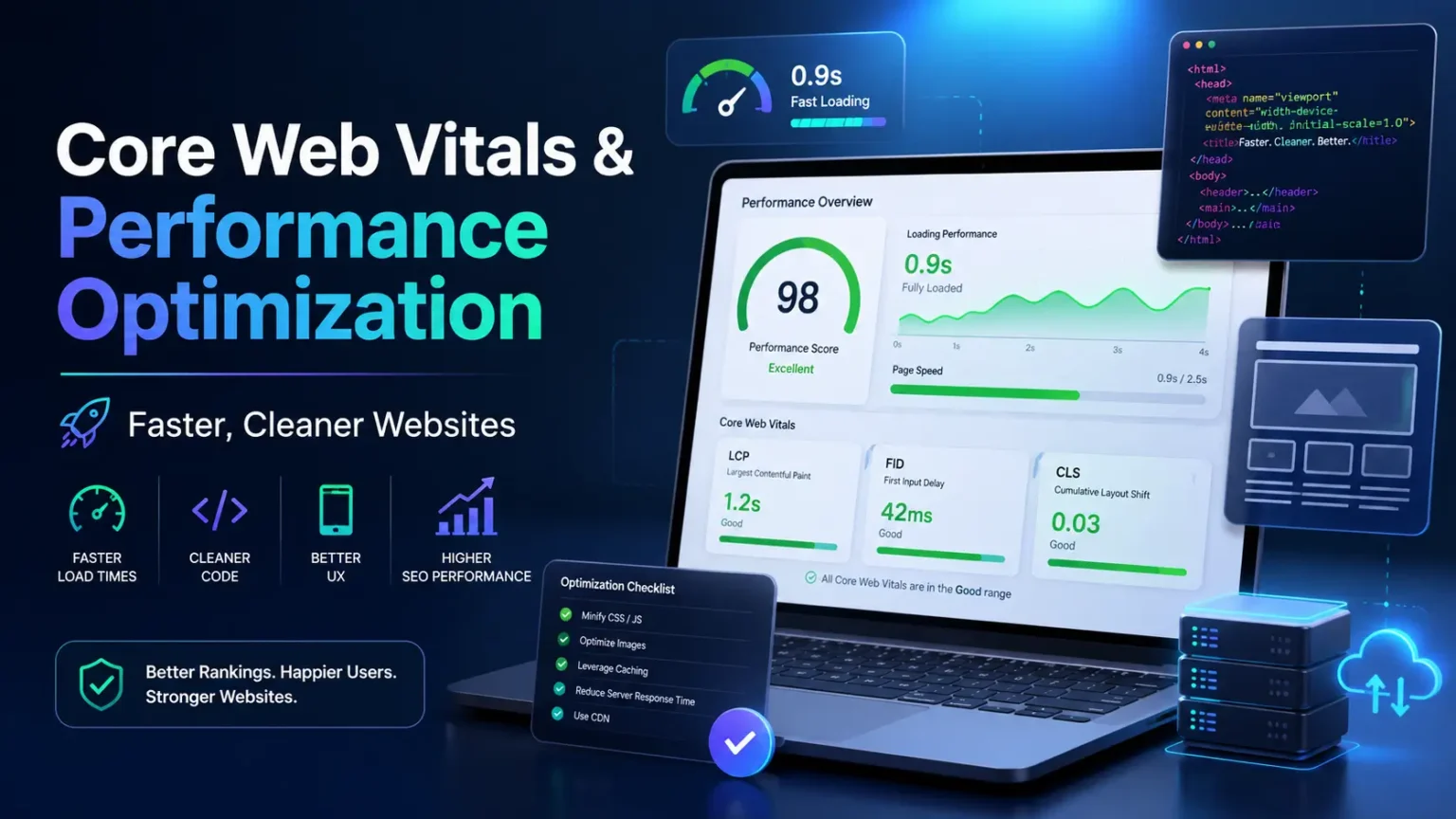
Website performance is not only a developer scorecard. It is the feeling a visitor gets when a page opens quickly, stays stable, reacts when tapped and does not punish a slow connection. For webmasters, performance affects search visibility, user trust, ad revenue, conversion rates, support requests and the amount of frustration people experience before they even read the content.
Core Web Vitals give webmasters a practical language for three parts of that experience: loading speed, responsiveness and visual stability. Largest Contentful Paint focuses on when the main content appears. Interaction to Next Paint focuses on how quickly the page responds to user input. Cumulative Layout Shift focuses on whether elements jump around unexpectedly. These metrics do not describe everything about quality, but they point to issues users genuinely feel.
This guide explains Core Web Vitals and broader performance optimization without assuming you want to become a full-time performance engineer. It covers measurement, field data, lab data, hosting, caching, images, fonts, CSS, JavaScript, third-party scripts, WordPress considerations and ongoing monitoring. It is designed to sit beside the website maintenance checklist and the technical SEO guide for webmasters as part of a complete site health workflow.
The key idea is simple: fast websites are usually the result of many sensible decisions, not one magical setting. You reduce what the browser must download, make important resources arrive sooner, avoid blocking the main thread, reserve space for visual elements and keep the server predictable. When those habits become part of publishing and maintenance, performance stops being a crisis project.
| Metric | What it represents | Practical webmaster focus |
|---|---|---|
| LCP | How quickly the main visible content loads | Server response, hero image, critical CSS, render-blocking resources |
| INP | How quickly the page responds to interactions | JavaScript weight, long tasks, event handlers, third-party scripts |
| CLS | How visually stable the layout remains | Image dimensions, ads, embeds, fonts, banners and late-loading content |
| TTFB | How quickly the server starts responding | Hosting, caching, database, CDN and backend work |
| FCP | When the first visible content appears | Initial HTML, CSS delivery, font strategy and blocking scripts |
Performance Begins With Real Users, Not Perfect Scores
Performance tools are useful, but users are the reason performance matters. A page can score well in one lab test and still feel slow for visitors on older phones, crowded networks or distant locations. A page can also receive a mediocre score because of a specific test condition while still serving most users acceptably. Webmasters should use scores as signals, not as trophies.
Real-user data and lab data answer different questions. Field data shows what actual visitors experience across devices and connections. Lab data provides a controlled environment for debugging. If field data says a template is poor, lab tools help find causes. If lab data flags a problem, field data helps decide whether it affects enough users to prioritize.
Performance also depends on page type. A homepage with a large hero, a long article, a product page with reviews and a dashboard behind login all have different constraints. Do not optimize only the homepage because it is easy to test. Choose representative templates and measure the pages that matter to traffic, revenue and user satisfaction.
The right mindset is continuous improvement. A site may not pass every metric immediately, especially if it relies on ads, complex ecommerce features or third-party tools. Start by fixing the largest user-facing problems. Then create rules that prevent the site from getting heavy again.
Understanding LCP: Make the Main Content Arrive Sooner
Largest Contentful Paint usually reflects the moment the largest visible text block or image appears in the viewport. For many websites, the LCP element is a hero image, featured image, heading block or product image. Improving LCP means making that important element load earlier and preventing other resources from delaying it.
The LCP path often begins before the browser downloads the hero image. Slow server response, redirects, render-blocking CSS, late-discovered images, unoptimized fonts and heavy JavaScript can all delay the main content. That is why LCP optimization is not only image compression. It is a chain from server to HTML to CSS to resource priority.
Webmasters can start by identifying the LCP element on key templates. Test an article, category page, homepage and product page. If the LCP element changes unpredictably, document the pattern. A template where the LCP is always the featured image needs a different plan than one where the LCP is a heading delayed by web fonts.
Practical LCP improvements include better hosting, page caching, CDN delivery, compressed images, correct image dimensions, modern formats, preloading important assets when appropriate, reducing render-blocking CSS and avoiding lazy loading for above-the-fold hero images. The best fix depends on the cause, so measure before changing everything.
Understanding INP: Keep the Page Responsive After It Loads
Interaction to Next Paint measures responsiveness to user interactions such as clicks, taps and keyboard input. A site can appear loaded and still feel broken if the browser is busy running JavaScript when the user tries to open a menu, submit a form or tap a filter. INP is important because it captures frustration that simple load timing does not show.
Poor INP often comes from long main-thread tasks. Large JavaScript bundles, heavy page builders, chat widgets, ad scripts, analytics tags, complex event handlers and unoptimized third-party tools can keep the browser busy. When the main thread is blocked, user input waits. The visitor experiences that as lag.
Webmasters do not need to read every line of JavaScript to improve INP. Start by reducing unnecessary scripts, delaying non-critical features, removing duplicate tags, choosing lighter plugins and testing interactions that users actually perform. Menus, accordions, filters, carts, forms and search boxes deserve attention because users notice lag there immediately.
INP improvements are often organizational. Marketing wants tags, support wants chat, editors want embeds and developers want features. Each script has a cost. A performance-conscious webmaster helps the team decide which tools earn their place and which can be delayed, replaced or removed.
Understanding CLS: Stop the Page From Jumping Around
Cumulative Layout Shift measures unexpected movement on the page. A layout shift can happen when an image loads without reserved space, an ad slot expands, a font swaps late, a banner appears above content, or an embed changes height. Users experience CLS as a page that moves just as they try to read or tap.
CLS is often easier to prevent than to fix later. Add width and height attributes to images. Reserve space for ads and embeds. Avoid injecting banners above existing content after the page begins loading. Use font strategies that reduce dramatic text movement. Test cookie notices, promo bars and sticky elements on mobile.
Visual stability matters for trust. A jumping page feels cheap even if the design is attractive. It can also cause accidental clicks, especially on mobile. For ecommerce, a shift near a checkout button can be especially harmful. For publishers, shifts caused by ads can make articles unpleasant to read.
When investigating CLS, watch the page load slowly. Lab tools can highlight shift regions, but manual observation helps too. Throttle the connection, reload the page and notice what moves. Then ask why the browser did not know the element’s space in advance. Most CLS fixes come down to reserving space or avoiding late insertions.
Server Response and TTFB: Fix the Beginning of the Chain
Time to First Byte measures how long it takes for the server to begin responding. A slow server response delays everything else: HTML, CSS, images, scripts and rendering. If TTFB is poor, front-end optimization still helps, but the page starts the race late. Webmasters should treat hosting and caching as part of performance, not as separate infrastructure trivia.
Common TTFB causes include overloaded shared hosting, uncached dynamic pages, slow database queries, heavy plugins, remote API calls, bloated themes and inefficient server configuration. For WordPress sites, admin-ajax calls, page builder overhead and unoptimized database tables can contribute. A good host can help, but the application still matters.
Page caching is often the biggest practical improvement for content sites. A cached page can be served quickly without rebuilding the entire response for every visitor. Ecommerce, membership and personalized pages need more careful caching rules, but even they can cache public assets, category pages, articles and parts of the experience.
A CDN can reduce distance between users and assets. It is especially useful for global audiences, image-heavy sites and static files. However, a CDN does not automatically fix a slow origin server or heavy front end. Use it as one layer in a complete performance strategy.
Images: The Most Common Performance Opportunity
Images are often the largest resources on a page. A beautiful hero image can be worth the weight, but only when it is sized, compressed and delivered correctly. Uploading a huge image and relying on CSS to shrink it wastes bandwidth. Webmasters should set image standards for contributors before media libraries become chaotic.
Use the right dimensions for the design. If the content column displays an image at 900 pixels wide, a 4000-pixel upload is unnecessary for that slot. Responsive images can serve different sizes for different screens. Modern formats can reduce weight, but format choices should be tested for quality, browser support and workflow compatibility.
Above-the-fold images need special handling. The LCP image should usually not be lazy loaded because delaying it delays the main content. Below-the-fold images can be lazy loaded to save initial bandwidth. The difference matters. Lazy loading everything sounds efficient, but it can harm the first meaningful view.
Image maintenance includes old content. A site may have years of oversized uploads. Start with high-traffic pages and templates rather than trying to clean every image at once. Replacing or regenerating images for the most visited pages can produce meaningful gains without a massive media-library project.
Fonts: Keep Typography Beautiful Without Slowing the Page
Fonts shape brand identity, but they can also delay text rendering or cause layout shifts. A site that loads many font families, weights and styles pays for each decision. Webmasters should ask whether every font file is necessary. Often a clean system font stack or a smaller set of weights provides a better balance between design and performance.
Font loading strategy affects both speed and stability. If text stays invisible while fonts load, the page feels slower. If fonts swap dramatically after loading, layout can shift. Use sensible font-display behavior, preload only critical fonts when justified and reduce unused weights. The goal is readable text as early as possible with minimal movement.
Self-hosting fonts can improve control, but it must be done correctly. Files should be compressed, cached and served in modern formats. External font services can be convenient, but they add network requests and dependencies. The best choice depends on the site’s stack, but the number of font files should always be intentional.
Review typography after redesigns. Designers may add weights for visual nuance, then editors may use them inconsistently. Over time, the site carries extra files for effects users barely notice. A performance review is a good moment to simplify the type system and make the site feel sharper.
CSS: Deliver the Critical Layout Without Blocking Everything
CSS tells the browser how to display the page, so render-blocking CSS can delay visible content. The challenge is not to remove CSS blindly. It is to deliver the styles needed for the initial view quickly and avoid loading large unused stylesheets before the page can render. Themes, builders and plugins often add more CSS than a page needs.
Critical CSS can help when implemented carefully. It provides the minimum styles required for above-the-fold content while deferring less important styles. However, poorly generated critical CSS can cause flashes, broken layouts or maintenance complexity. Test across templates before relying on automated settings.
Unused CSS is common on sites with multipurpose themes. A theme may include styles for sliders, galleries, widgets, ecommerce elements and layouts that a page never uses. Removing or conditionally loading unused CSS can improve performance, but it requires caution. Global styles sometimes support hidden states or responsive behavior that are easy to miss.
Webmasters can reduce CSS problems by choosing lean themes, limiting plugin overlap and asking developers to enqueue assets only where needed. The cleanest CSS optimization often happens before a tool is installed: pick simpler building blocks and the browser has less work to do.
JavaScript: Reduce Work on the Main Thread
JavaScript powers interactive experiences, but it also competes for the browser’s main thread. When scripts parse, execute and run long tasks, they can delay rendering and interactions. This affects both loading and INP. A page with too much JavaScript can feel heavy even on a fast connection.
Not all scripts deserve the same priority. Navigation, essential forms and checkout behavior are critical. Social sharing widgets, heatmaps, popups, decorative animations and some personalization features may be delayed or removed. Webmasters should label scripts by business value and user impact rather than loading everything immediately.
Code splitting, defer, async, lazy loading and delayed execution can help, but they are not substitutes for reducing unnecessary code. If a plugin loads a large library on every page for a feature used on one template, conditionally load it or find a lighter solution. The fastest script is the one the browser never has to download.
Test interactions after script optimization. A delayed script that breaks a menu or form is not an improvement. Performance work should protect essential functionality. The goal is a faster usable page, not a faster broken page.
Third-Party Scripts: Audit Every External Dependency
Third-party scripts are one of the most common reasons performance gets worse after launch. Analytics, ads, chat tools, A/B testing, social embeds, review widgets, consent platforms, tracking pixels and affiliate scripts all add requests and execution time. Each tool may be reasonable alone, but together they can overwhelm a page.
Create a third-party script inventory. For each script, record its owner, purpose, pages where it loads, business value, performance cost and removal process. If nobody owns a script, it is a candidate for review. If a script supports an old campaign, remove it. If two tools measure the same event, consolidate.
Load third-party scripts selectively. A chat widget may not need to load on every article. A conversion pixel may only need key landing pages. A map embed may be replaced with a static preview until clicked. Consent and privacy requirements must be respected, but performance can still improve through careful loading rules.
After adding a third-party tool, measure before and after. This creates accountability. Teams are more careful when they see the cost of each tool. Performance culture does not mean rejecting every script; it means asking each script to justify its impact.
Caching Strategy: Serve Repeated Work Efficiently
Caching stores work so the site does not repeat it unnecessarily. Browser caching saves assets on the visitor’s device. Page caching stores generated HTML. Object caching stores database query results. CDN caching serves files closer to users. Together, these layers can transform performance, especially for content-heavy sites.
Caching must respect dynamic content. A public article can be cached aggressively. A cart page, account area or personalized dashboard requires careful rules. Incorrect caching can show one user’s data to another or prevent fresh content from appearing. Webmasters should understand what is cached, where it is cached and how to purge it safely.
Cache invalidation is part of publishing. When a post is updated, the right pages should refresh: the post itself, category pages, homepage sections, feeds and related blocks. If the cache does not purge correctly, visitors may see outdated information. If it purges too broadly, the server may work harder than needed.
Document the caching stack. Many sites have hosting cache, plugin cache, CDN cache and browser cache at the same time. When something looks wrong, teams need to know which layer to clear. Without documentation, cache troubleshooting becomes a ritual of clicking every purge button and hoping.
WordPress Performance: Choose Less Weight Before Adding More Plugins
WordPress performance depends heavily on choices. A lean theme with careful plugins can be fast. A bloated theme with overlapping builders, sliders, popups and trackers can struggle. WordPress itself is not automatically slow; unmanaged complexity is slow. Webmasters should evaluate each plugin by value, maintenance quality and performance cost.
Plugin overlap is a common issue. One plugin handles image optimization, another lazy loading, another caching, another minification, another CDN rewriting and another performance dashboard. Tools can conflict or duplicate work. A simpler stack with well-understood responsibilities is usually easier to maintain than a crowded stack of optimizers.
Database performance matters on older WordPress sites. Autoloaded options, transients, revisions, logs and abandoned plugin tables can accumulate. Cleanup can help, but it should be backed up and tested. Random database optimization without understanding can remove useful data or hide the real cause of slowness.
Page builders should be used with discipline. They make design easier, but some generate heavy DOM structures and extra assets. Use reusable components, avoid nesting unnecessary sections and test templates before building hundreds of pages on top of them. Design flexibility should not become permanent page weight.
Ads, Affiliate Blocks and Monetization Without Destroying Experience
Publishers and review sites often rely on ads, affiliate cards, comparison tables and product widgets. These elements can fund the site, but they also affect speed, stability and trust. A performance strategy should not pretend monetization does not exist. It should make monetization more controlled.
Ad slots should reserve space to reduce layout shifts. Lazy loading can help, but late expansion above content can damage CLS. Avoid stacking too many monetization elements before the reader reaches the main content. Revenue matters, but so does the user’s willingness to stay on the page.
Affiliate widgets and comparison tables should be built efficiently. A useful table does not need to load several external scripts if static HTML can do the job. Product images should be optimized like any other images. Buttons should be accessible and fast. Commercial elements should support the article, not interrupt it.
Measure revenue and performance together. Removing every ad may improve speed but reduce income. Adding every possible widget may increase short-term clicks but reduce trust and rankings over time. Webmasters should help find the sustainable middle: profitable pages that still feel good to use.
Mobile Performance: Optimize for Real-World Conditions
Mobile visitors often face smaller screens, weaker processors, variable networks and more interruptions. A page that feels instant on a desktop fiber connection can feel heavy on a mid-range phone. Webmasters should test mobile as a primary experience, not as a checkbox at the end of a desktop workflow.
Reduce initial work for mobile users. Avoid giant hero images, excessive animations, intrusive overlays and scripts that block taps. Make menus simple. Keep forms short. Ensure sticky headers and ads do not consume too much vertical space. Mobile performance is as much about interaction design as file size.
Network variability matters. A global audience may include users far from the origin server. CDN, image compression, caching and fewer requests become more important. Do not assume every visitor has perfect bandwidth. Evergreen content often attracts search visitors from many places and devices.
Mobile testing should include scrolling, tapping, form entry and returning from background states. Users do not experience pages as static screenshots. They interact, get interrupted, rotate devices and switch networks. A good mobile page remains stable and responsive through those ordinary behaviors.
Performance Budgets: Prevent Future Bloat
A performance budget sets limits before the site becomes heavy. It might define maximum page weight, number of requests, JavaScript size, image size, LCP target, INP target or third-party script count. Budgets turn performance from a vague preference into an operational rule.
Budgets should be realistic and tied to templates. A long review page with many images may have a different budget from a simple landing page. The goal is not to punish useful content. It is to make trade-offs visible. If a new feature exceeds the budget, the team should decide what to remove, delay or optimize.
Publishing guidelines are a form of performance budget. Editors can follow image dimensions, embed rules, table standards and video usage rules. Marketers can request tracking additions through a review process. Developers can test bundle size before deployment. Everyone contributes to speed when the rules are clear.
Revisit budgets as the site matures. A new hosting setup, redesign or monetization model may change what is practical. Keep the standard challenging enough to protect users but flexible enough to support the site’s goals.
Monitoring and Maintenance: Keep Performance From Slipping
Performance slips gradually. One new plugin, one larger image, one extra tag and one design tweak may not seem serious. Over months, the site becomes noticeably slower. Monitoring catches that drift. Track key templates, real-user metrics, lab scores, server response, page weight and third-party scripts.
Create alerts for major regressions. If LCP or INP worsens significantly on a key template, someone should know. If server response time rises after a deployment, investigate. If a new ad provider causes layout shifts, adjust slots. The faster a regression is caught, the easier it is to connect it to a change.
Include performance in launch checklists. New pages, redesigns, plugin installs, ad changes and tracking changes should all include a speed review. Performance should not be something you check only after users complain. It belongs in the workflow before changes reach production.
Monthly reviews should produce action, not just reports. Choose the highest-impact issue and fix it. Then move to the next. A steady series of small improvements often beats a yearly emergency optimization project.
A Practical Optimization Workflow for Webmasters
Start with the pages that matter most: the homepage, top organic landing pages, revenue pages, category hubs and any template with poor field data. Identify the main issue. Is the page slow to start, slow to show content, slow to respond or visually unstable? Each problem points to different causes.
Next, inspect the waterfall and main-thread activity. Look for slow server response, large images, blocking CSS, heavy JavaScript, third-party scripts, font delays and layout shifts. Avoid changing ten things at once unless the site is in emergency condition. Smaller changes make it easier to understand what worked.
Apply the fix in staging when possible. Test layout, forms, menus, ads, tracking and mobile behavior. Performance improvements that break business functions are not wins. After deployment, clear the right caches, retest and monitor real-user data over time. Field data may take time to reflect changes, but lab tests can confirm immediate technical improvement.
Finally, turn the lesson into a rule. If oversized images caused the issue, create image standards. If scripts were the cause, build a tag review process. If hosting was the bottleneck, review infrastructure. Every optimization should make future pages easier to keep fast.
Core Web Vitals Checklist for Webmasters
Use this checklist when reviewing an important template. It is not a replacement for measurement, but it helps focus the investigation on the most common causes of poor loading, responsiveness and stability.
Repeat the checklist after major changes. Performance is a system, and a fix in one area can reveal another bottleneck. The goal is a stable workflow that keeps pages fast over time.
- Identify the LCP element and make sure it is discovered and loaded early.
- Improve server response with caching, better hosting, database cleanup or CDN support.
- Compress and resize images; avoid lazy loading above-the-fold hero images.
- Reduce unused CSS and avoid blocking the first render with unnecessary styles.
- Remove, delay or conditionally load non-essential JavaScript.
- Audit third-party scripts and assign an owner to each one.
- Reserve space for images, ads, embeds, cookie banners and promotional bars.
- Use a sensible font strategy with limited weights and minimal layout movement.
- Test mobile interactions, menus, forms, filters and checkout paths.
- Monitor field data and connect regressions to deployments or content changes.
Frequently Asked Questions
What are Core Web Vitals?
Core Web Vitals are a set of user experience metrics focused on loading speed, responsiveness and visual stability. The main metrics are LCP for loading, INP for interaction responsiveness and CLS for layout stability.
Do Core Web Vitals affect SEO?
Core Web Vitals are part of page experience signals and can matter in search, especially when pages are otherwise similar in relevance and quality. They should be treated as one part of a broader SEO and user experience strategy rather than the only ranking factor.
What is the fastest way to improve LCP?
The fastest improvement depends on the cause, but common wins include better page caching, optimizing the hero image, avoiding lazy loading for the LCP image, reducing render-blocking CSS, improving server response and using a CDN for static assets.
How can a webmaster improve INP without coding everything from scratch?
Start by removing unnecessary plugins and scripts, delaying non-critical third-party tools, reducing duplicate tags, choosing lighter widgets and testing key interactions such as menus, forms and filters. Many INP issues come from too much JavaScript rather than one complex bug.
Why does CLS happen on a website?
CLS happens when visible elements move unexpectedly after the page begins loading. Common causes include images without dimensions, ads without reserved space, late-loading banners, embeds that change height and fonts that swap in a way that changes text size.
How often should performance be checked?
Important templates should be checked monthly and after meaningful changes such as redesigns, new plugins, new ad providers, tracking changes or hosting migrations. High-traffic and revenue-critical pages deserve closer monitoring.
Performance Optimization Workflow for Busy Webmasters
Performance work becomes manageable when it follows a repeatable workflow. Begin with the pages that shape first impressions and business outcomes: homepage, article templates, product pages, signup pages, checkout, support pages and category hubs. Testing only the homepage can hide serious problems in templates that users actually interact with every day.
Measure before changing anything. Use lab tools to understand technical details and field data to understand real user experience. Lab tests help diagnose render-blocking files, heavy scripts and image weight. Field data shows how visitors experience the site across different devices, networks and browsers. Both views matter because a perfect test environment does not always represent real traffic.
After measurement, classify problems by bottleneck. Some pages are slow because the server responds late. Others are blocked by CSS or JavaScript, overloaded with third-party scripts, or weighed down by unoptimized media. Treating every slow page the same leads to wasted effort. A precise diagnosis makes the fix smaller and more effective.
Then change one major area at a time. Optimize images, adjust caching, reduce scripts, improve server response or refine critical CSS in controlled steps. When too many fixes happen together, it becomes difficult to know which change produced the improvement. A measured workflow helps the webmaster build confidence and avoid accidental regressions.
Understanding Performance Trade-Offs
Performance optimization is not about removing every feature. A site may need analytics, advertising, chat, personalization, video, social embeds or conversion tools. The webmaster’s job is to decide how and when those features load. A useful feature can still be harmful if it blocks the first meaningful interaction or shifts the layout after the reader begins moving.
Some trade-offs are business decisions. An advertising script may create revenue but hurt loading stability. A chat widget may help support but delay interactivity. A large hero image may strengthen branding but slow mobile visitors. These decisions should be discussed with evidence instead of opinion. Show the cost, explain the benefit and choose the implementation that protects the user as much as possible.
Timing often solves conflicts. A non-essential script can load after consent, after interaction, after the main content, or only on pages where it is needed. A heavy embed can be replaced by a preview that loads the real asset when clicked. A large image can be delivered in responsive sizes. Performance improves when features are sequenced intelligently.
The best performance decisions respect both users and the business model. A site that removes every monetization element may become fast but unsustainable. A site that adds every revenue script may become frustrating and lose trust. The durable solution is balance: keep what creates value, remove what does not, and load the rest with care.
Image Strategy for Faster Pages
Images are often the easiest performance win because they are visible, measurable and frequently oversized. Start by checking whether images are uploaded at dimensions close to their display size. A small thumbnail should not require a massive original file. Responsive image markup helps browsers choose appropriate versions, but the source library still needs sensible sizes.
Format matters, but it is not magic. Modern formats can reduce weight, yet a poorly chosen image can still be too large. Compression settings, dimensions, transparency, animation and visual complexity all affect the result. The webmaster should test real examples rather than assuming one format is always best.
Lazy loading should be used thoughtfully. Images below the fold are good candidates, but the main hero image or first article image may need to load early. Lazy-loading the most important visual can delay the Largest Contentful Paint element. Performance optimization is about choosing the right priority, not applying one setting everywhere.
Every image should also reserve layout space. Width and height attributes, aspect-ratio rules or stable containers prevent content from jumping as media loads. This protects reading comfort and reduces accidental taps. Image optimization therefore supports both speed and visual stability.
JavaScript Control and Interaction Speed
Modern websites often become slow because too much JavaScript runs before the user can interact. Sliders, popups, analytics tags, chat tools, ad scripts and large libraries may compete for the main thread. Interaction to Next Paint problems usually appear when the browser is busy processing tasks that do not feel important to the visitor.
Start by identifying scripts that load on every page. Many tools are useful only on certain templates. A checkout enhancement may not belong on blog posts. A comment feature may not belong on landing pages. Conditional loading can reduce work without deleting features. The fastest script is the one that does not load where it is not needed.
Break long tasks where possible. Large JavaScript operations can block input, making taps and clicks feel delayed. Deferring non-critical code, splitting bundles, reducing unused libraries and simplifying event handlers can improve responsiveness. Small changes in script behavior often make the site feel more professional.
Third-party scripts need ownership. Each one should have a reason, a responsible person and a review date. If nobody can explain what a script does, it probably should not remain on the site. Old experiments, abandoned campaigns and duplicate tracking tags are common causes of slow pages.
CSS, Fonts and Rendering Stability
CSS affects how quickly the browser can show a usable page. Large global stylesheets, unused framework code and render-blocking files can delay the first view. A webmaster does not always need to hand-code every style, but they should know when a theme or builder is shipping far more CSS than the page requires.
Critical CSS can help important above-the-fold content render sooner, especially on templates with heavy stylesheets. However, it must be maintained carefully. Broken or outdated critical CSS can create flashes, missing styles or inconsistent layouts. Test across templates after theme changes so the optimization does not become a source of visual bugs.
Fonts should be treated as performance assets. Too many families, weights or external requests can slow rendering and create layout shifts. Use only the weights that the design actually needs, preload carefully when appropriate and define fallback fonts with similar metrics. Typography can remain polished without forcing visitors to wait.
Rendering stability also depends on predictable components. Headers, ads, cookie banners, announcement bars and embedded media should not push content unexpectedly. Reserve space, avoid late injections above the main content and test pages on mobile. A stable page feels faster because the user can start reading without fighting movement.
Server Response, Hosting and Caching Decisions
Performance begins before the browser downloads the page. If the server response is slow, every later optimization starts late. Hosting quality, database health, caching configuration, plugin load and traffic spikes can all affect the first response. A beautiful front end cannot fully compensate for a slow backend.
Caching should match the site’s behavior. Static pages, evergreen articles and category pages can often be cached aggressively. Account pages, carts, dashboards and personalized areas need more careful rules. Incorrect caching can show stale or private information, so the webmaster must understand which pages are safe to cache and which require dynamic handling.
Database cleanup can help sites that have grown for years. Old revisions, expired transients, spam comments, orphaned metadata and abandoned plugin tables may not be visible to visitors, but they can slow administrative work and queries. Cleanup should be backed up and tested; deleting data blindly is never a performance strategy.
Hosting decisions should be based on real needs. A small site may not need expensive infrastructure, while a busy publication or store may outgrow basic shared hosting. Monitor response times, resource limits, error logs and peak traffic behavior. Upgrade when evidence shows the current environment is limiting reliability or speed.
Mobile Performance and Real-World Constraints
Mobile visitors often experience the harshest version of a website. Smaller screens, weaker processors, variable networks and touch input expose problems that desktop testing misses. A page that feels acceptable on a powerful laptop may be frustrating on a mid-range phone. Webmasters should test important templates with mobile conditions in mind.
Mobile performance is also about layout choices. Sticky headers, popups, cookie banners, chat buttons and ads can consume too much space. If these elements overlap content or delay interaction, the page feels crowded and slow even when technical scores look acceptable. Good mobile performance includes restraint.
Touch targets should respond quickly and predictably. Menus, filters, accordions, forms and checkout controls must be easy to tap. If JavaScript delays interaction or layout shifts move buttons at the wrong moment, users lose confidence. Improving responsiveness can increase trust as much as it improves metrics.
Content structure matters on mobile too. Short paragraphs, clear subheadings, visible summaries and compressed media help readers move through the page. Performance and readability work together. A fast page with overwhelming formatting can still fail, while a well-structured page makes speed improvements more noticeable.
Monitoring Performance After Launch
Performance is not a one-time project. A site can be fast after launch and slow six months later because new scripts, larger images, ads, plugins and design changes accumulate. Monitoring protects the gains. The webmaster should track important templates and review changes after major content, marketing or development updates.
Create a performance baseline for key pages. Record representative scores, field data, page weight, request count, LCP element, major scripts and known limitations. When a regression appears, compare it with the baseline. This makes the conversation specific: what changed, where it changed and which users are affected?
Alerts are useful when they are focused. Too many warnings create fatigue. Track the metrics that matter for user experience and business outcomes: server response, LCP, INP, CLS, uptime and conversion path reliability. A small set of meaningful alerts is better than a noisy dashboard nobody trusts.
After each improvement, document the result. Note what was changed, why it was changed and how the page responded. This record helps future maintainers avoid reversing useful fixes. It also proves that performance work creates value, which makes it easier to defend speed when new features compete for priority.
Performance Collaboration Across Teams
Speed is not only a developer responsibility. Editors choose images and embeds. Marketers add tags and campaign tools. Designers define visual weight. Business owners approve revenue scripts. Developers build templates and loading behavior. A webmaster can coordinate these decisions so performance is considered before the page becomes slow.
Simple rules help non-technical contributors. Images should be resized before upload, embeds should be used only when they add value, new third-party tools should have an owner and pages should be checked on mobile after major edits. These habits prevent many performance problems without requiring everyone to understand browser internals.
Design collaboration is especially important. Visual polish should not depend on oversized media, unnecessary animation or layout patterns that shift after loading. Designers and developers can often achieve the same brand feeling with lighter assets, cleaner CSS and more disciplined motion. Performance constraints can improve creativity by forcing clarity.
When teams disagree, use tests instead of arguments. Create two versions, measure them and compare the experience. Evidence makes trade-offs easier to discuss. The goal is not to block ideas; it is to deliver them in a way that respects the visitor’s time.
Creating a Long-Term Speed Budget
A speed budget defines limits before the site becomes too heavy. It may include maximum page weight, image size, script count, third-party requests, font files or target Core Web Vitals thresholds. The exact numbers depend on the site, but the principle is universal: every new feature should fit within a performance plan.
Budgets work best when they are attached to templates. A homepage, article page, product page and dashboard may have different needs. The webmaster should define expectations for each major template rather than forcing one rule across the entire site. This makes the budget practical and fair.
When a new feature exceeds the budget, the team has choices. Optimize the feature, remove something else, load it later, limit it to specific pages or accept the cost for a documented reason. The budget does not eliminate judgment; it makes the cost visible before users feel it.
Review the budget regularly. Technology, business goals and user expectations change. A budget that was realistic two years ago may need adjustment, but it should not disappear. Long-term performance depends on limits, measurement and accountability. Without those controls, page weight tends to grow silently until users start leaving.
Testing Performance Fixes Without Creating New Problems
Performance fixes should be tested like product changes because they can affect design, tracking and user journeys. Minifying files, delaying scripts, changing image behavior or adjusting cache rules may improve speed while breaking a menu, form, analytics event or consent flow. A webmaster should validate the experience after optimization rather than trusting the score alone.
Build a small test path for each important template. For an article, open the page, scroll, use the table of contents if present, click internal links and confirm images load correctly. For a store or membership area, test login, cart, checkout, account pages and transactional messages. The goal is to confirm that speed improvements did not remove functions users depend on.
Compare multiple runs before declaring victory. Performance tests vary because of network conditions, server load, cache state and third-party behavior. A single excellent score can be misleading. Look for a consistent trend across repeated tests and check whether field data improves over time. Sustainable improvement matters more than one perfect screenshot.
Keep a rollback path for aggressive changes. If a script delay breaks conversions or a cache rule serves stale content, the team should know how to revert quickly. Optimization is safest when changes are documented, reversible and introduced in steps. This approach gives the site the benefit of speed without turning performance work into a reliability risk.
Performance Review for Content Teams
Editors can protect speed without becoming developers. Before publishing, they can compress large images, avoid unnecessary embeds, limit autoplay media and preview the page on mobile. These simple habits prevent many common regressions. A content workflow that includes performance awareness keeps the site lighter as the library grows.
Content teams should also review old high-traffic pages. Popular articles often accumulate banners, embeds, comparison tables, screenshots and calls to action over time. Each addition may be reasonable on its own, but the combined result can become heavy. Periodic review keeps successful pages useful instead of allowing them to become overloaded.
When a page needs rich media, place it with intention. A video, demo or interactive element can be valuable, but it may not need to load before the reader sees the main content. Lightweight previews, click-to-load embeds and clear captions can preserve value while reducing initial cost. Good editorial presentation and performance can support each other.
Performance education should be practical. Instead of telling writers to “make pages faster,” give them concrete rules: maximum image dimensions, preferred formats, embed guidelines, mobile preview steps and examples of heavy elements to avoid. Clear rules turn speed into a shared publishing standard rather than a vague technical request.
Final Thoughts
Performance optimization is not about chasing a perfect number for its own sake. It is about giving visitors a page that appears quickly, reacts naturally and stays stable while they use it. Core Web Vitals help webmasters focus on those human outcomes with measurable signals.
Start with the biggest bottleneck, fix it carefully, measure the result and turn the lesson into a repeatable rule. Over time, a website becomes faster not because someone ran one optimization plugin, but because speed became part of design, publishing, development and maintenance.
Performance Scenarios That Usually Need Immediate Attention
A slow checkout or lead form deserves faster attention than a slow archive page because it affects revenue directly. Performance prioritization should consider user value, not only page views. A low-traffic account page may still matter if every customer needs it to manage orders, subscriptions or support requests.
A sudden INP regression after adding a chat widget is common. The widget may be useful, but loading it immediately on every page can harm interactions. Try delayed loading, page-specific loading or a lighter support entry point. The right solution keeps support accessible without forcing every visitor to pay the performance cost.
A CLS issue after adding ads often comes from missing reserved space. The page loads, the reader begins scanning, and then a late ad pushes content down. This creates a poor reading experience and can cause accidental taps. Reserving stable slots is usually better than letting monetization elements reshape the page after load.
A heavy homepage hero can hurt first impressions. Large background videos, uncompressed images, multiple sliders and animation libraries may look premium in a design review but feel slow on mobile. A strong hero should communicate quickly. Beauty that delays the message is not a performance win.
How to Build a Performance Culture Without Slowing the Team
Performance culture does not require every editor to become a developer. It requires clear rules: upload images at the right size, avoid unnecessary embeds, test important pages after major edits and ask before adding new third-party tools. Small habits prevent many large regressions.
Developers can support the culture by creating fast defaults. If templates automatically output responsive images, reserve space for media and load assets conditionally, editors are less likely to make pages slow by accident. Good systems make the easy choice the fast choice.
Marketers can support performance by reviewing tags regularly. Every tracking pixel should have a purpose, an owner and a measurement plan. When campaigns end, tags should be removed. This keeps the site from carrying old marketing experiments forever.
Leaders can support performance by treating speed as a product quality metric. If only design and feature delivery are rewarded, performance will lose. If speed, stability and user experience are part of acceptance criteria, teams naturally make better trade-offs.